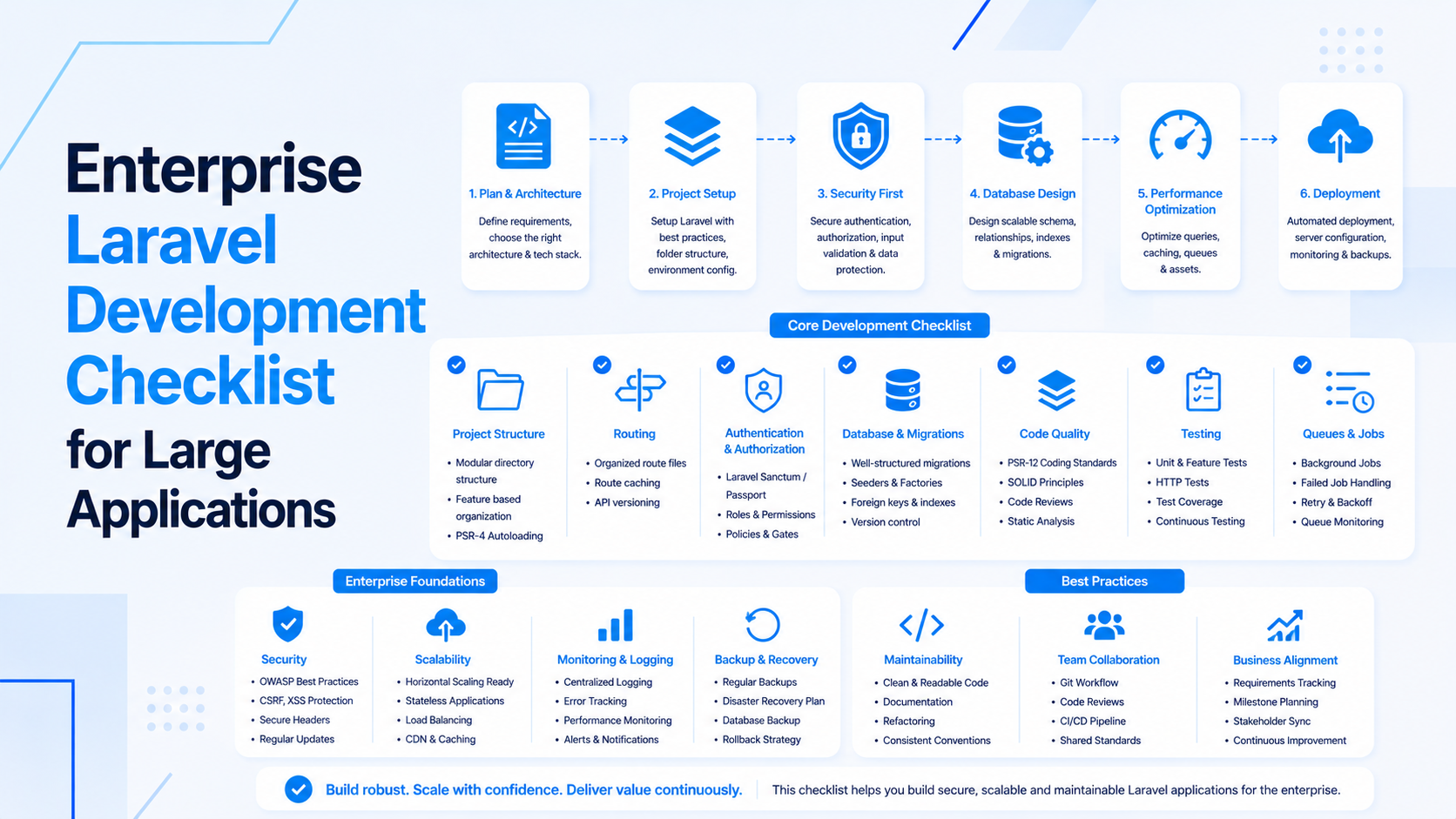
Building a Laravel REST API that works in a local Postman test is not the same as building one that can serve fifty thousand mobile users reliably at two in the morning. The gap between those two situations is where most API projects reveal their weaknesses.
I have been building and maintaining Laravel REST APIs for SaaS products and mobile applications for several years. What follows is the checklist I use to evaluate whether an API is genuinely ready for production, not just ready for the first demo.
Authentication: Stateless and Scoped
Every Laravel REST API needs a clear authentication strategy before any endpoint is written. For SaaS and mobile applications, the only sensible choice is stateless token-based authentication using Laravel Sanctum or Laravel Passport.
Sanctum is the right choice for most applications: it handles personal access tokens for mobile apps and SPA authentication for web frontends from the same package. Passport is the choice when you need full OAuth2 functionality, specifically when third-party applications need to authenticate against your API on behalf of users.
The critical detail that many implementations miss is token scoping. A mobile app user should receive a token scoped to what the mobile app actually needs. An internal dashboard consumer should receive a separate token with different permissions. Never issue a single super-token that grants access to everything. If that token is compromised, the blast radius is your entire API.
The checklist items for authentication:
- Token-based authentication implemented with Sanctum or Passport
- Scopes defined per consumer type (mobile, web, admin, third-party)
- Token expiry and refresh logic handled
- Unauthenticated requests return 401, not 200 with an error message in the body
- Token rotation after sensitive actions (password change, email change)
API Versioning: Build It Before You Need It
The second item on the checklist is API versioning, and it needs to exist before the first mobile app is released to the public. Once a mobile app is in the hands of users, you cannot simply change the API response structure. Thousands of devices running the old app version will break the moment the API changes.
The standard approach in Laravel is route prefix versioning: all routes live under /api/v1/. When a breaking change is required, a new version /api/v2/ is introduced alongside the existing one. The old version continues to work while users migrate to the new app version. Once adoption of the new version is high enough, the old version is deprecated with appropriate notice.
Route versioning in Laravel is straightforward to set up using route groups in the service provider or route files. The investment is minimal at the start of the project. Adding versioning retroactively to a production API that serves live mobile apps is a significant and risky project.
Request Validation: Fail Fast and Explain Clearly
API consumers, especially mobile developers, need clear, structured validation errors. A validation failure that returns a 500 server error with an HTML exception page is not a validation error; it is a broken API.
In Laravel, all API request validation should use dedicated Form Request classes. These classes keep validation rules separate from controller logic, are unit-testable independently, and automatically return structured JSON error responses when validation fails.
The validation response format should be consistent across every endpoint. A mobile developer should be able to write one error-handling function that works for every validation failure from your API. This means: fixed HTTP status codes (422 for validation failures), consistent JSON structure with a predictable error field, and per-field error messages that a UI can display directly to the user.
Response Structure: Consistent by Design
Every successful response from a Laravel REST API should follow the same structure. Resource classes in Laravel, specifically JsonResource and ResourceCollection, are the mechanism for this.
A resource class transforms an Eloquent model or collection into a consistent JSON structure. The benefit is not just aesthetic tidiness. When a mobile developer is consuming twenty different endpoints, they should be able to make reasonable assumptions about the response structure without consulting documentation for every single one. Paginated collections always have the same pagination structure. Single resource responses always use the same field naming conventions.
Decide early whether your API will use camelCase or snake_case for JSON field names. Mobile developers, especially those working in JavaScript or Swift, often prefer camelCase. PHP developers often default to snake_case because that is how Eloquent returns database columns. Pick one and enforce it consistently across every resource class. Mixed conventions are one of the most common complaints I hear from mobile developers integrating with Laravel APIs built by backend teams.
Pagination: Always, Without Exception
Any endpoint that returns a list of records must be paginated. This is not optional. An API that returns an unbounded list of records will work in testing when the database has fifty records. It will time out, consume enormous memory, and crash worker processes in production when the database has fifty thousand records.
Laravel's built-in pagination handles this automatically and returns a consistent pagination structure. The mobile app or web frontend simply reads the next_page_url from the response to fetch the next batch. The API never loads more data than the page size allows.
Default page sizes should be small and conservative. Twenty to fifty records per page is usually appropriate. Consumers can request a larger page size if they need it, but the API should cap the maximum allowed page size to prevent intentional or accidental abuse.
HTTP Status Codes: Use Them Correctly
A common issue in Laravel APIs is returning 200 OK for everything, including errors. The HTTP status code is the first thing an API consumer reads. Using it correctly means consumers can handle success and failure states without parsing the response body first.
The standard codes every Laravel API must use correctly:
- 200: Successful GET, PUT, PATCH responses
- 201: Successful POST when a resource was created
- 204: Successful DELETE with no response body
- 400: Bad request (malformed request syntax)
- 401: Unauthenticated
- 403: Authenticated but not authorized
- 404: Resource not found
- 422: Validation errors
- 429: Rate limit exceeded
- 500: Unexpected server error
If your API returns 200 for a record not found because you decided to return an empty object instead of a 404, mobile developers will thank you initially and curse you six months later when their error handling logic fails to distinguish between an empty result and a genuine not-found condition.
Rate Limiting: Protect the API From Itself
Every public-facing Laravel API endpoint needs rate limiting. Laravel's built-in throttle middleware handles this with minimal configuration. For production APIs, the limits should be configured per authenticated user rather than per IP address, because mobile users on carrier NAT share IP addresses with thousands of other devices.
The 429 response when a rate limit is hit should include a Retry-After header telling the consumer exactly how long to wait before retrying. Well-behaved mobile apps will respect this header and back off gracefully.
If you are building a public REST API for a SaaS product, consider tiered rate limits: free plan users receive lower limits, paid plan users receive higher limits. Laravel Sanctum supports attaching rate limit definitions to specific token abilities, making this straightforward to implement without custom middleware.
If you are building a Laravel REST API for a SaaS product or mobile application and want to ensure it is built to production standards from the start, visit my Laravel API development services page to learn how I approach API architecture and delivery.

Prakash Tank
Full-Stack Architect & Tech Enthusiast. Passionate about building scalable applications and sharing knowledge with the community.