To run effective marketing and sales campaigns, your marketing automation tool (Mautic) and your core CRM (such as Salesforce, HubSpot, or a custom internal database) must stay perfectly synchronized. If your lead synchronization architecture is poorly designed, you will end up with duplicate contacts, conflicting lead statuses, and missed sales opportunities. In this article, we will examine how to build a reliable, bidirectional sync pipeline between Mautic and external CRM systems.
1. Synchronization Models: Real-Time vs. Batch
There are two primary models for syncing lead data across systems, each with different performance characteristics:
- Real-Time Webhook-Driven Sync: Triggered instantly when a contact action occurs (e.g., lead score increases, form submitted). This is excellent for hot leads that need immediate sales outreach. However, it can overwhelm your CRM API limits during peak campaigns.
- Queue-Based Batch Sync: Accumulates changes locally and runs a cron job every 5 to 15 minutes to sync updates. This is far more reliable and protects your API limits but introduces a slight delay.
A hybrid model is usually best: use real-time sync for high-priority actions (like "Request a Demo" submissions) and batch sync for background updates (like lead score adjustments or email click history).
2. Designing the Middleware Integration Layer
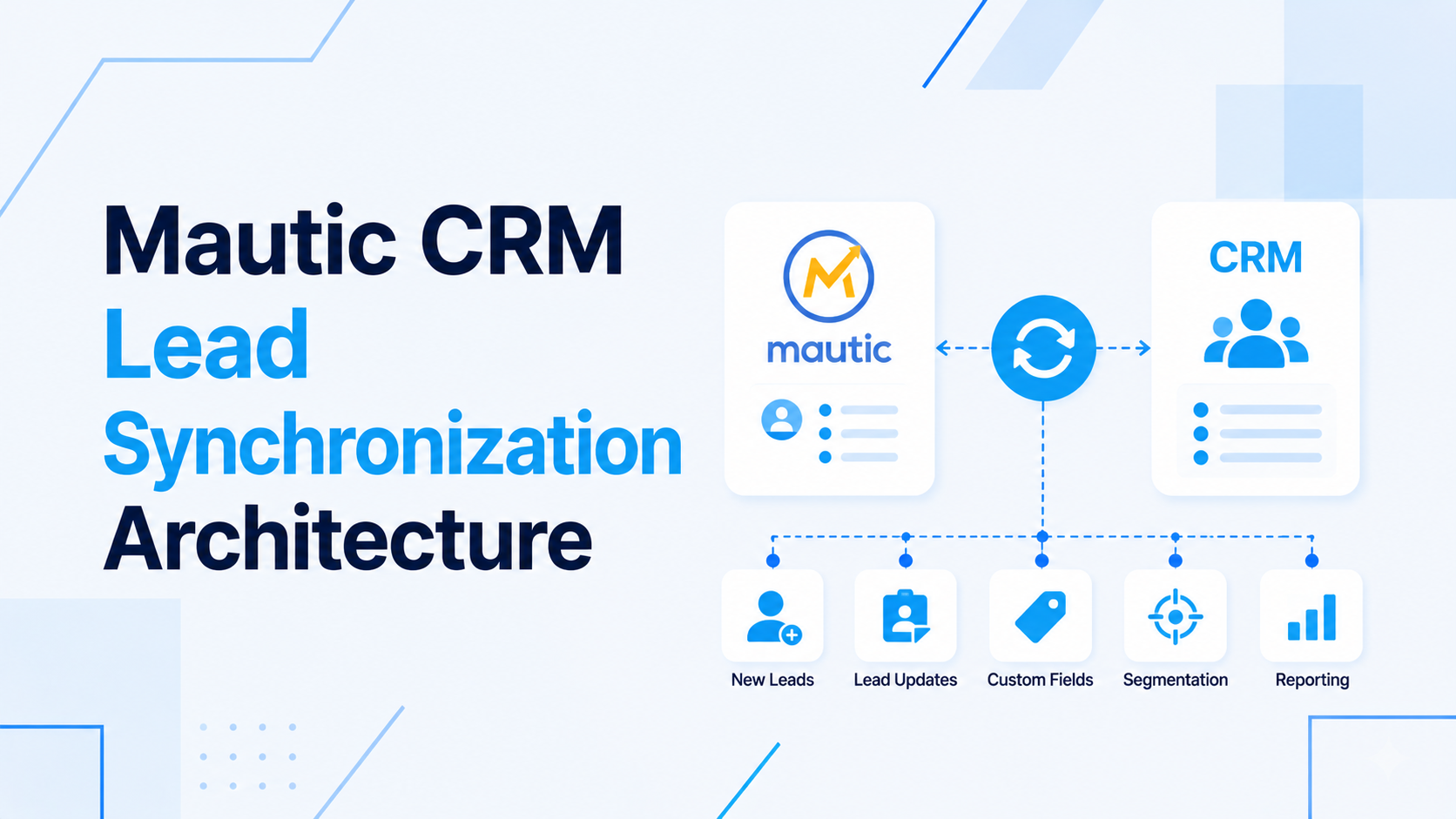
Instead of connecting Mautic directly to your CRM using generic plugins, building a dedicated integration middleware in Laravel or Node.js provides a robust solution. The middleware acts as a buffer and handles translation, validation, and error recovery. Below is a typical data flow diagram of this architecture:
+------------------+         +----------------------+         +------------------+
|                  | Webhook |                      | API Call|                  |
|   Mautic Lead    |-------->|  Laravel Middleware  |-------->|   External CRM   |
|                  |         |  (Job Queue / Redis) |         |                  |
+------------------+         +----------------------+         +------------------+
                                        |
                                        v
                            [Duplicate & Collision Checks]
This layout ensures that if your external CRM goes down for maintenance, Mautic's webhooks are safely queued in Redis and retried later without losing any lead records.
3. Managing Bidirectional Updates and Conflicts
When both Mautic and your CRM can write updates to the same contact fields, you will face conflict resolution challenges. For example, if a salesperson updates a phone number in the CRM at the same time Mautic updates a lead score, which value wins? To resolve this, establish strict field ownership rules:
- CRM-Owned Fields: Contact Status, Lead Stage, Assigned Owner, and direct contact details (Phone, Address). Mautic should read-only these fields.
- Mautic-Owned Fields: Lead Score, Marketing Consent, Last Active Date, and Campaign History. The CRM should read-only these fields.
- Strict Conflict Resolution: Always use timestamps. The system with the latest modification date should overwrite the other, except for protected CRM-owned fields.
4. API Rate Limiting and Payload Optimization
HubSpot and Salesforce enforce strict API rate limits. To avoid hitting these limits, optimize your payloads by sending only changed fields (partial updates) instead of the entire contact record. Additionally, consolidate individual updates into batch requests. For example, instead of firing 100 individual API calls for 100 contacts, use the CRM's batch endpoint to update all 100 in a single request, saving 99 API calls.
5. Handling Sync Failures and Deduplication
Always log sync failures in an audit table with the response code and payload. Implement an exponential backoff retry mechanism for network errors (HTTP 500 or timeout), but skip retrying validation errors (HTTP 422 - bad email format) to avoid infinite loops. To prevent duplicates, always use the email address as the primary unique key across both platforms, and implement fuzzy matching on names and company fields during import sweeps.
If you need assistance designing custom API integrations or setting up a robust CRM sync, check out our Mautic Customization Services or explore our Backend API Development Services.

Prakash Tank
Full-Stack Architect & Tech Enthusiast. Passionate about building scalable applications and sharing knowledge with the community.