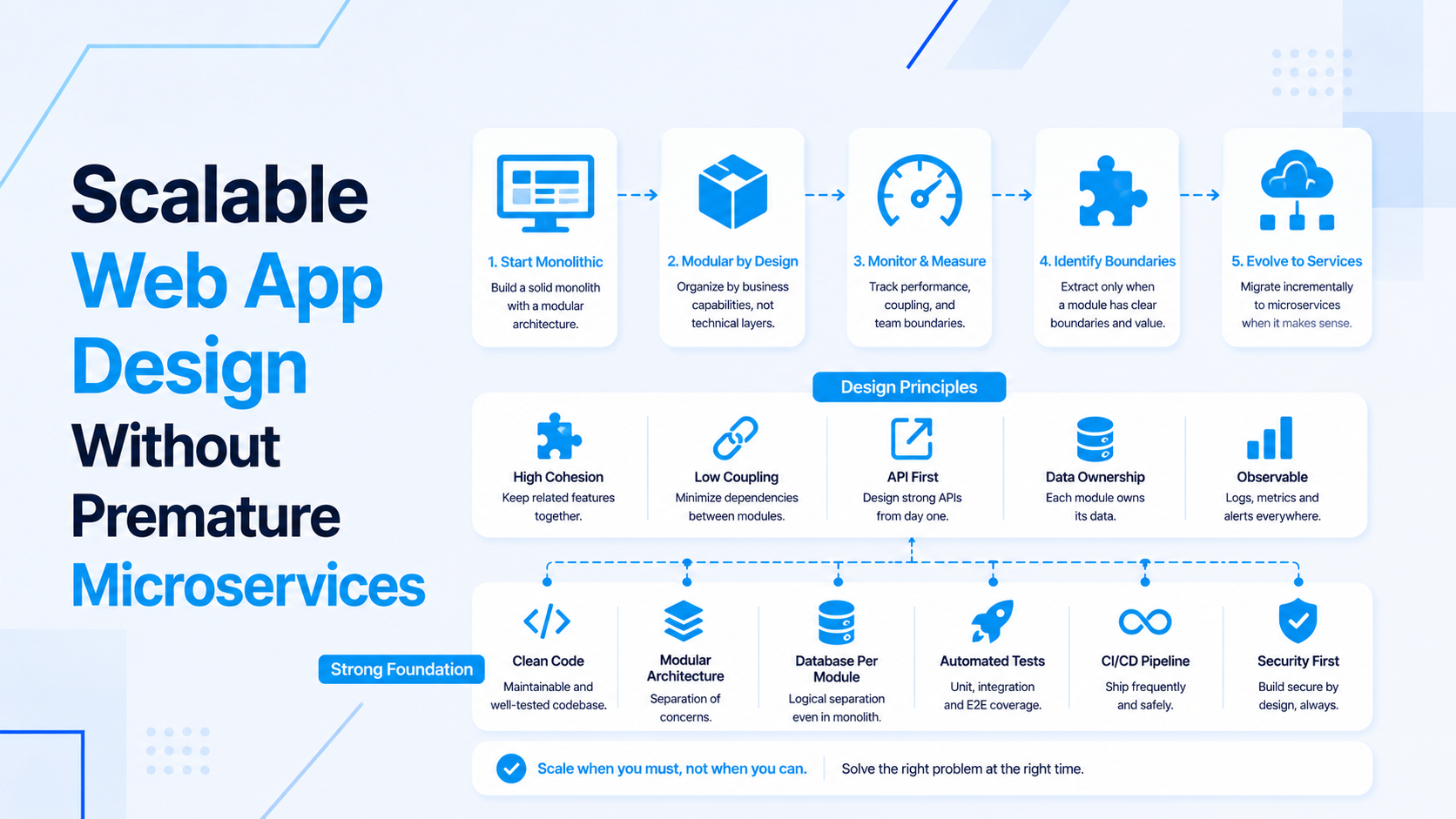
React Node.js products often reach a point where the team feels pressure to split the application into microservices. Sometimes that is the right move. More often, the product first needs cleaner module boundaries, better database access patterns, background jobs, caching, observability, and deployment discipline.
This guide explains how to scale a React Node.js product without jumping into premature microservices. The goal is to improve reliability and delivery speed while keeping the architecture understandable for a growing product team.
Start With The Bottleneck, Not The Architecture Trend
Microservices solve specific coordination and scaling problems. They do not automatically fix unclear product boundaries, slow queries, missing tests, fragile APIs, or weak deployment habits.
- Identify whether the pain is performance, team coordination, release risk, database load, background processing, or frontend complexity.
- Measure slow endpoints, heavy queries, memory use, queue delays, and frontend bundle cost.
- Separate product growth problems from code organization problems.
- Fix obvious single-application issues before adding network boundaries.
If the product needs broader ownership across frontend, backend, database, and cloud, review full-stack developer support before planning a major architecture change.
Use Modular Boundaries Inside The Node.js Application
A well-structured monolith can support serious growth. Start by making the current Node.js backend easier to reason about.
- Group code by product domain such as billing, accounts, reporting, notifications, or inventory.
- Keep route handlers thin and move business logic into services or actions.
- Use clear request validation and response contracts.
- Avoid shared utility folders becoming a hiding place for business rules.
- Document module ownership and data dependencies.
For API structure and backend delivery, align this work with backend API development.
Protect API Contracts For React
React becomes harder to maintain when backend responses change casually. Scaling starts with stable API contracts.
- Define response shapes for important screens and workflows.
- Keep pagination, filtering, sorting, and error responses consistent.
- Version or document breaking changes before frontend work starts.
- Use typed API clients or shared schema where the project benefits from them.
- Handle loading, empty, error, and permission states in React intentionally.
For dashboard-heavy products, pair this with React and Next.js frontend development.
Fix Database And Query Pressure First
Many scaling issues are database issues wearing an architecture costume. Before splitting services, improve how the current product reads and writes data.
- Add indexes for high-traffic filters, joins, and lookup paths.
- Remove N+1 query patterns and repeated dashboard calculations.
- Use transactions for critical writes.
- Move expensive reports into summary tables or async generation when needed.
- Keep data ownership clear so future service boundaries are easier to define.
If database load is the main risk, start with database design and optimization instead of a service split.
Move Slow Work Into Queues
Queues are often the simplest scaling step for a Node.js product. They reduce request latency and make retries more predictable.
- Move emails, exports, imports, billing syncs, notifications, and webhook retries out of user requests.
- Track failed jobs and retry behavior.
- Make long-running work visible in the UI through status records or events.
- Use WebSockets only when users need immediate updates.
For real-time status and event workflows, see React Node.js real-time app architecture.
Add Caching Carefully
Caching helps when the data access pattern is understood. It creates risk when cache invalidation is treated as an afterthought.
- Cache expensive reads that are requested often and change predictably.
- Use short TTLs for data that can tolerate slight staleness.
- Invalidate cache on writes for critical business data.
- Avoid caching permission-sensitive data unless scopes are clear.
- Measure before and after caching changes.
Improve Deployment And Observability
A single application with good observability is easier to scale than many services with poor visibility.
- Log request IDs, user/account context, failed jobs, and integration errors.
- Monitor endpoint latency, database time, queue depth, memory, and error rates.
- Use staging, smoke checks, and rollback notes for risky releases.
- Keep environment configuration and secrets managed cleanly.
- Scale horizontally only after stateless behavior and shared dependencies are understood.
For infrastructure and release support, review cloud infrastructure development.
When Microservices Start To Make Sense
Microservices become more reasonable when the product has clear boundaries and the organization can handle the operational cost.
- One domain has independent scaling needs.
- Separate teams need independent deployment cycles.
- The data ownership boundary is clear.
- The business workflow can tolerate network and consistency complexity.
- Monitoring, retries, contracts, and deployment automation are already mature.
If those conditions are not true yet, modularizing the current application is usually the better first move.
Final Scaling Checklist
- Measure the actual bottleneck before changing architecture.
- Clean up Node.js module boundaries and API contracts.
- Fix database queries, indexes, and reporting pressure.
- Use queues, caching, and observability before splitting services.
- Adopt microservices only when the product and team can absorb the operational cost.
If you need help scaling a React Node.js product, start with full-stack product engineering, Node.js backend development, or React frontend development.

Prakash Tank
Full-Stack Architect & Tech Enthusiast. Passionate about building scalable applications and sharing knowledge with the community.