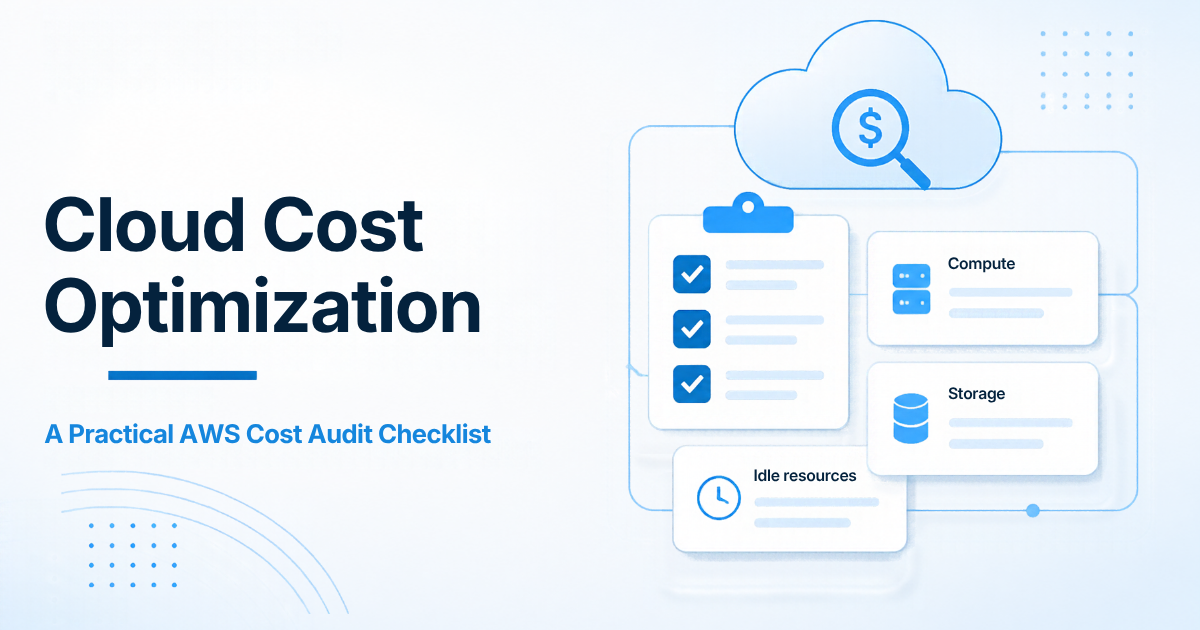
Cloud Cost Optimization: A Practical AWS Cost Audit Checklist
A rising AWS invoice is rarely one dramatic mistake. It is usually a pile of ordinary ones: an oversized instance that nobody resized, a staging environment left on overnight, unattached disks, on-demand pricing for a workload that barely changes, and data transfer that never got mapped. Cloud cost optimization starts with a quiet, evidence-first AWS cost audit, not a promise to cut a marketing percentage off the bill.
This checklist is the practical version of that audit. Use it to see where money actually goes, decide what is safe to change, and leave budgets and alerts behind so the savings do not quietly disappear on the next invoice. If you already know you want help running this process, I do this work on my cloud cost optimization service page. If the platform itself still needs building or tightening, that belongs on cloud infrastructure development.
I will not invent savings figures here. Honest savings depend on your usage shape. After a billing and usage review, the useful output is a prioritized list of changes with effort and risk attached.
What an AWS cost audit should produce
A useful audit is not a screenshot of Cost Explorer. By the end of the pass you should have:
- A simple map of spend by account, service, environment, and (if tags exist) team or product.
- A short list of waste that can be reversed safely: idle resources, unused snapshots, forgotten load balancers, oversized non-production compute.
- A rightsizing shortlist for compute, containers, and databases, based on measured usage rather than guesswork.
- A note on commitments: where Reserved Instances or Savings Plans are justified, and where they are not.
- A storage, CDN, and egress picture so transfer costs are not a surprise.
- A monitoring plan: tags, budgets, and anomaly alerts so new waste is caught on the next invoice.
If your current architecture is still being shaped, it is worth reading this alongside my guide to cloud deployment architecture for Laravel and Node.js apps. Cost work is easier when environments, data stores, and workers are already separated cleanly.
The checklist
Work through these items in order. The early steps are read-only. Do not buy a one-year commitment until you have seen at least a few weeks of real usage, and preferably longer for anything seasonal.
1. Get a clean billing and usage picture
Start in AWS Billing and Cost Explorer, then confirm the same story in the accounts themselves.
- Confirm which accounts, organizations, and regions are in scope. Forgotten member accounts are a common source of unexplained spend.
- Review the last 30, 60, and 90 days of spend by service. Look at the trend, not only the latest invoice.
- Split production from non-production if you can. Always-on staging, QA, and demo environments often explain more than production does.
- Check Cost Explorer for untagged or poorly tagged resources. If most of the bill has no owner, fix tagging before you argue about who should cut what.
- Turn on (or verify) hourly and resource-level cost data where it is useful, so you can see idle nights and weekend patterns.
- Export or save a baseline. You need a before picture if later changes are going to be judged honestly.
This is a read-only review. Do not resize or terminate anything until you can point to the usage that justifies the change.
2. Find idle and leftover resources
Idle cleanup is usually the safest first cut because the resources are not doing useful work.
Look for:
- Unattached EBS volumes and old snapshots that outlived the instance or AMI they belonged to.
- Unused Elastic IPs, idle load balancers, and forgotten NAT gateways.
- Stopped instances that still have provisioned storage or associated addresses attached.
- Old AMIs, unused Elastic Load Balancing target groups, and idle RDS or ElastiCache instances from a project that moved on.
- Development and staging stacks that run 24/7 when the team only uses them during working hours.
For each item, record the monthly cost, the owner if you can find one, and whether the change is reversible. Snapshots and backups need a second look before deletion. The goal is to remove charges that survived after the work moved on, not to delete the only copy of something you still need.
3. Rightsize compute from measured usage
Rightsizing means matching instance size and family to actual CPU, memory, and network use, not to the size someone chose on day one.
- Pull CloudWatch (or your monitoring tool) for at least two weeks, longer if traffic is spiky or seasonal.
- Flag instances with consistently low CPU and memory headroom, especially in non-production.
- Check for the opposite problem too: a fleet that is always at the limit may be cheap only because it is under-provisioned and at risk.
- Review Auto Scaling policies. A group that never scales in, or a minimum capacity set “just in case,” can freeze waste into the architecture.
- Separate web servers from queue workers. Workers often need a different, cheaper shape than request-handling instances.
Prefer reversible changes: move one environment, watch error rates and latency, then continue. Do not rightsize a production database in the same afternoon you first opened the graphs.
4. Treat containers and serverless as their own bill
ECS, EKS, Fargate, and Lambda do not show up as a single “server” you can resize, but they still waste money in familiar ways.
- Check Fargate and Kubernetes requests versus actual use. Over-requested CPU and memory is idle capacity you pay for on every task.
- Look at Lambda duration, memory settings, and retry behaviour. Over-allocated memory and chatty retries can matter once traffic grows.
- Review concurrency, scheduled jobs, and always-on worker counts. Idle containers left running overnight are the container version of always-on staging.
- Confirm you are not paying for unused cluster capacity, unused node groups, or a second cluster that nobody shut down.
Tune sizing, concurrency, and schedules so idle capacity is not the default bill.
5. Control database and cache costs carefully
Databases are easy to over-provision and painful to get wrong. Treat them as a separate pass.
- Compare instance class, storage type, and IOPS to measured connections, CPU, memory, and I/O.
- Review Multi-AZ, read replicas, and leftover snapshots. High availability is often worth the cost in production; it is rarely needed on a small staging copy.
- Look at storage growth and backup retention. Long retention is useful until it is just an unpaid archive sitting on expensive disks.
- Check query hotspots and missing indexes before you jump a whole instance class. Sometimes the cheaper fix is database design and query work, not a larger RDS class.
- For ElastiCache and similar, confirm the cache is actually taking load off the database. A large cache that nobody hits is just another idle resource.
6. Clean up storage, CDN, and egress
Storage and transfer are the quiet parts of a cloud bill. They rarely look dramatic until one month they do.
- Inventory S3, EBS snapshots, AMIs, and Glacier or archive classes. Move cold data on a lifecycle policy instead of leaving everything in a hot class “for now.”
- Check incomplete multipart uploads and forgotten log buckets.
- Map data transfer: region-to-region, out to the internet, through NAT gateways, and between availability zones. Egress is easier to reduce when you know the path.
- Review CloudFront (or another CDN) cache behaviour. Serving static assets from the origin, or pulling the same objects repeatedly across regions, can inflate both compute and transfer.
- Watch NAT gateway and inter-AZ traffic. These are legitimate costs, but they should be explained, not mysterious.
Do not break latency targets to chase a cheaper transfer path. The audit should show the tradeoff clearly so you can choose it on purpose.
7. Use commitments only on steady workloads
Reserved Instances, Savings Plans, and similar commitments are useful when the baseline is stable. They are expensive when you buy them too early.
- Identify the floor of usage that you are confident will still be there for the commitment term.
- Commit against that floor, not against a peak week or a plan you hope will happen.
- Prefer shorter or more flexible terms until the usage pattern is boring and well understood.
- Revisit existing commitments. Unused reservations and mismatched instance families are a cost problem of their own.
If the workload is still changing shape every month, keep it on-demand or use shorter coverage. A commitment is not a shortcut around the rest of this checklist.
8. Put FinOps habits in place so the savings stick
A one-time cleanup without tags, budgets, and a review cadence is how the same waste returns.
- Agree a small tagging standard: environment, service or product, and owner at minimum. Apply it to new resources first, then backfill the expensive ones.
- Set budgets and anomaly alerts at the account and, where useful, at the service or tag level. The point is to notice a surprise before the invoice arrives.
- Give someone a recurring review: monthly is enough for many teams, weekly if spend is changing quickly.
- Write down what you changed, what you deferred, and what you will not touch without a longer test window.
Cloud cost optimization is not a single project. It is a habit of measuring, changing the safe things, and watching the bill afterwards.
How to prioritize the work
When the checklist produces a long list, order it like engineering work:
- Reversible, low-risk cleanup: unused disks, idle IPs, forgotten non-production stacks.
- Rightsizing and schedules backed by usage data, starting outside production when you can.
- Storage class and lifecycle changes that do not affect user-facing latency.
- Commitments, only after the baseline is stable.
- Architecture changes, such as moving traffic paths or splitting services, when the audit shows a structural cost and the operational cost of the change is justified.
If a change needs a migration or a platform redesign, that is no longer just a billing exercise. That is infrastructure work, and it should be planned that way.
What I will not promise in an audit
I will not quote a savings percentage before seeing your usage. I will not treat a Cost Explorer screenshot as a finished report. And I will not recommend a large Reserved Instance purchase on the first pass if the workload is still moving.
The useful result is a clear picture of the bill, a short list of changes in priority order, and a monitoring setup that keeps the next surprise small.
When to get help
Use this checklist yourself if you have billing access, basic CloudWatch visibility, and time to work through it carefully. Bring in help when the bill is spread across many accounts, the tagging is too weak to assign owners, or you want a second pair of eyes before you touch production databases or buy commitments.
I audit usage across AWS, Google Cloud, and Azure, prioritize reversible changes, and leave you with budgets and alerts rather than a one-time slide deck. You can start from the cloud cost optimization page, or hire an AWS developer when the work is mixed with ongoing build and operations.

Prakash Tank
Full-Stack Architect & Tech Enthusiast. Passionate about building scalable applications and sharing knowledge with the community.