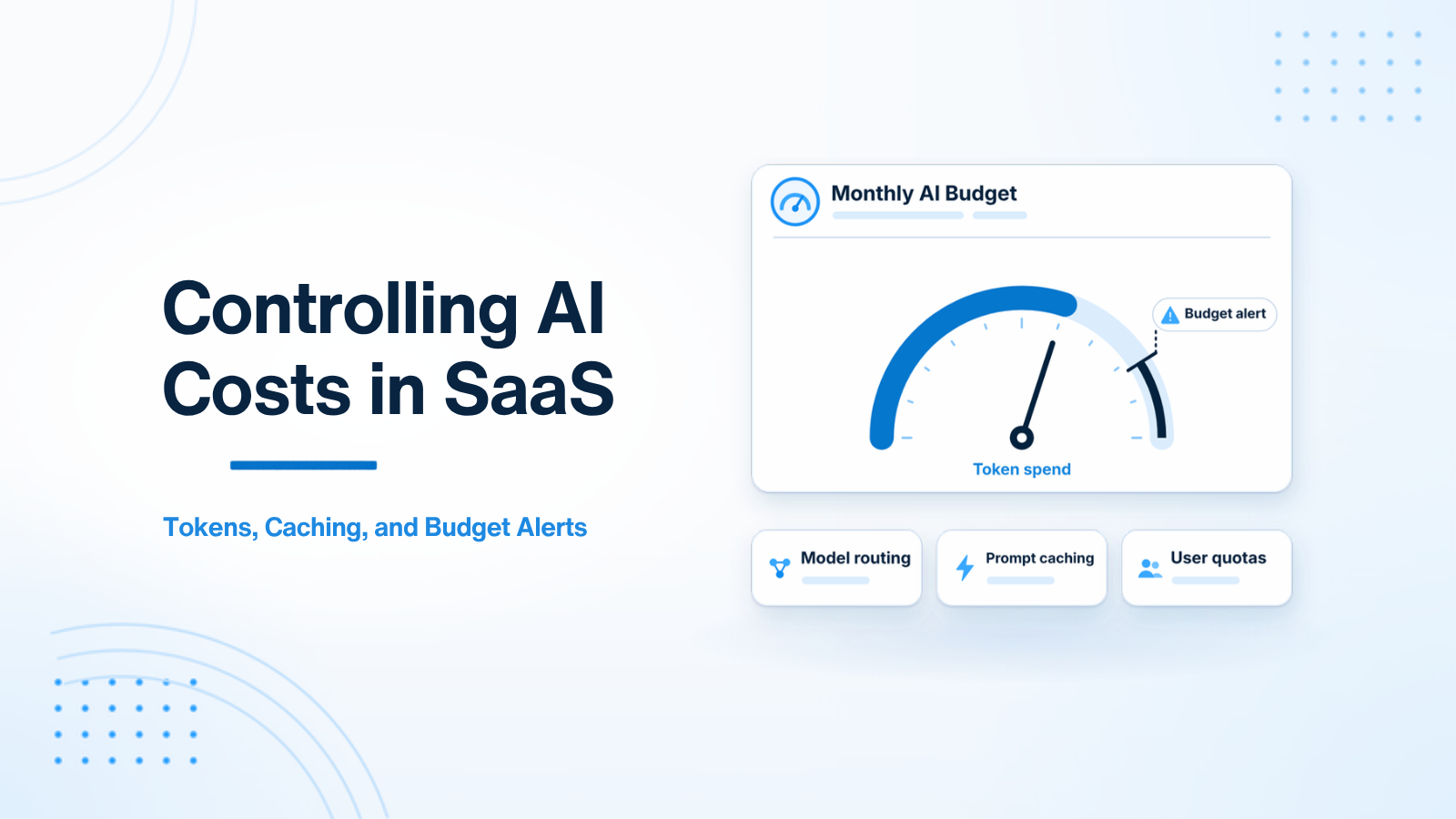
AI features possess a cost structure unlike almost any other component in traditional software engineering. A database query costs a fraction of a cent and scales predictably. In contrast, an unoptimized Large Language Model (LLM) API call can cost anywhere from $0.0001 to $0.10+ per request — and a single popular product feature used by thousands of customers can generate unexpected monthly cloud invoices that destroy SaaS gross margins.
This comprehensive guide details six practical engineering strategies for keeping LLM API spend completely under control without sacrificing the quality of your user experience.
1. Understanding Token Economics
LLM providers charge per Token — subword text fragments (approximately 1 token ≈ 4 characters or 0.75 English words). Pricing is calculated per million tokens, split between Input Tokens (what you send in the prompt) and Output Tokens (what the model generates). Output tokens are typically 3x to 4x more expensive than input tokens.
The Math of Runaway AI Spend:
Consider a customer support summary feature using GPT-4o:
- System Prompt + RAG Context Context: 3,000 input tokens ($0.0075)
- Generated Response: 500 output tokens ($0.0050)
- Cost per Single Execution: $0.0125
If 10,000 active users invoke this feature 5 times per day, daily spend reaches $625.00 — resulting in a monthly LLM API invoice of $18,750.00! Reducing token consumption by 60% saves over $11,000 per month.
2. Strategy 1: Dynamic Model Routing
The single most effective cost-reduction lever is Model Routing. Not every AI task requires a flagship model (like GPT-4o or Claude 3.5 Sonnet). Lightweight models (like GPT-4o mini, Claude Haiku, or Gemini Flash) cost 15x to 30x less and deliver equal performance on structured classification, tagging, and short extraction tasks.
// Dynamic Model Router Pattern in PHP/Laravel
class AiModelRouter
{
    public static function resolveModel(string $taskType): string
    {
        return match ($taskType) {
            'tagging', 'sentiment', 'extraction' => 'gpt-4o-mini', // $0.15 / 1M tokens
            'simple_summarization'              => 'gpt-4o-mini',
            'complex_reasoning', 'code_gen'     => 'gpt-4o',      // $2.50 / 1M tokens
            default                             => 'gpt-4o-mini',
        };
    }
}
3. Strategy 2: System Prompt Optimization & Compression
Every single token in your system prompt is billed on every API execution. If your system prompt is 1,500 tokens long and executed 50,000 times per day, you pay for 75 million input tokens daily purely for static instructions.
Optimization Tactics:
- Remove Redundant Instructions: Eliminate polite filler phrases ("Please make sure to always..."). Use concise, direct imperative rules.
- Prune Unnecessary Few-Shot Examples: If zero-shot prompting with structured outputs achieves 98% accuracy, remove expensive few-shot examples from the prompt string.
- Move Static Context to User Roles: Structure prompts cleanly to take advantage of provider prompt caching.
4. Strategy 3: Provider Prompt Caching
Both OpenAI and Anthropic offer native Prompt Caching. When you send repetitive system prompts or large static RAG context blocks that exceed minimum length thresholds (1,024 tokens for OpenAI), the provider automatically caches the prefix tokens. Cached input tokens receive a 50% to 90% price discount and execute with lower latency.
Rule for Prompt Caching: Keep your static system instructions at the very beginning of the prompt array, and append dynamic user data at the end.
5. Strategy 4: Semantic Redis Caching
For applications where users frequently ask identical or semantically similar questions (such as help desk bots or FAQ search), implementing Semantic Caching using Redis eliminates API calls entirely.
When a query arrives, embed the string and search a Redis vector cache of past queries. If a past query has >0.95 cosine similarity, return the cached answer immediately without calling the LLM API.
// Conceptual Semantic Cache Lookup
$queryEmbedding = $ai->embed($userQuery);
$cachedAnswer = $redisCache->findSimilarQuery($queryEmbedding, $threshold = 0.95);

if ($cachedAnswer) {
    return $cachedAnswer; // $0.00 cost! Sub-5ms response time!
}

$freshAnswer = $ai->generateAnswer($userQuery);
$redisCache->store($userQuery, $queryEmbedding, $freshAnswer);
return $freshAnswer;
6. Strategy 5: Per-User Usage Quotas & Rate Limiting
Enforce strict per-user tier quotas in your backend to prevent power users or malicious bots from causing billing spikes:
// Enforcing monthly AI token quotas per SaaS plan
class EnforceAiQuotaMiddleware
{
    public function handle(Request $request, Closure $next)
    {
        $user = $request->user();
        $monthlyUsage = $user->getMonthlyAiTokenUsage();
        $quota = $user->plan->monthly_token_quota;

        if ($monthlyUsage >= $quota) {
            return response()->json([
                'error' => 'Monthly AI usage quota reached. Please upgrade your plan.'
            ], 429);
        }

        return $next($request);
    }
}
7. Strategy 6: Automated Spend Alerting
Set up automated hard billing limits in your OpenAI/Anthropic provider dashboards, and trigger internal Slack/email alerts when daily application spend exceeds 120% of historical averages. This catches infinite loop bugs or unauthorized API usage instantly.
8. Strategy 7: Output Token Truncation & Max Token Guardrails
Enforcing API-level max token limits prevents verbose output text generation from swelling monthly LLM bills.
9. Strategy 8: Asynchronous Batch Job API Billing (50% OpenAI Discount)
Non-urgent background tasks (bulk re-indexing, weekly reporting) process via Batch API endpoints at a 50% flat token price discount.
Strategy 7: Output Token Truncation & Max Token Guardrails
Because provider APIs bill output tokens at a significantly higher rate than input tokens (typically 3x to 4x higher), unconstrained model text generation is a major source of unexpected API cost inflation. When a prompt generates 1,500 output tokens of verbose explanation when a 100-word summary was requested, your application wastes valuable computing budget.
Enforce strict Max Token Limits at the API request level (e.g. setting 'max_tokens' => 250 in your SDK call). Additionally, instruct system prompts explicitly: "Keep responses under 100 words. Do not include conversational introductory or concluding text." Combining API-level max token bounds with prompt instructions prevents runaway text generation costs.
Strategy 8: Asynchronous Batch Job API Billing (50% OpenAI Discount)
For background tasks that do not require real-time synchronous HTTP responses — such as nightly document re-indexing, bulk email sentiment classification, or weekly customer analytics reports — leverage provider Batch APIs (such as OpenAI Batch API or Anthropic Batch API).
Batch APIs process requests asynchronously within a 24-hour execution window, offering a 50% flat discount on all input and output token costs. Submitting non-urgent background workloads to Batch API endpoints cuts background processing expenses directly in half.
Strategy 9: Cost Allocation Metrics per Customer Organization
To prevent individual enterprise accounts from eroding SaaS product margins, build internal Cost Allocation Tracking into your backend telemetry layer. Calculate and log the exact input token count, output token count, and dollar cost of every AI call, linking each event to the executing organization_id.
Tracking per-organization AI spend allows finance and product teams to identify power-user accounts, set tiered usage limits based on subscription plans, and implement usage-based overage billing for high-volume enterprise customers.
Strategy 10: Model Distillation and Custom Fine-Tuned Local Models
For high-volume SaaS applications processing millions of repetitive API requests per month, calling expensive hosted cloud LLMs becomes financially unsustainable. Model Distillation offers a powerful long-term cost reduction strategy.
Strategy 11: Prompt Cache Warmup and Prefix Alignment
Maximizing provider prompt caching discounts requires optimizing prompt structure for prefix alignment. OpenAI and Anthropic prompt caching engines match exact text prefixes starting from token index 0. If dynamic data is inserted at the beginning of the prompt array, the prompt cache breaks for all subsequent tokens.
Strategy 12: Real-Time Token Budget Tracking and Rate Limiters
Enforce strict per-user tier quotas in your backend to prevent power users or malicious bots from causing billing spikes. Calculate and log the exact input token count, output token count, and dollar cost of every AI call, linking each event to the executing organization ID to maintain complete financial predictability.
Strategy 13: Enterprise Billing Models & Tiered Feature Quotas
Aligning AI infrastructure expenses with SaaS pricing tiers protects product profit margins. Establish tiered feature access limits (such as 100 AI actions/month on Starter plans vs unlimited usage with usage-based overage fees on Enterprise plans). Enforcing automated monthly usage tracking middleware inside your application backend guarantees that high-volume enterprise accounts remain profitable.
Strategy 14: Automated Spend Threshold Notifications & Soft Caps
Configure automated webhooks in your billing telemetry dashboard that send Slack alerts when daily API spend exceeds 120% of historical baselines. Implementing soft quotas allows engineering teams to investigate runaway loops before accounts exceed monthly cloud budgets.
Strategy 15: Automated Monthly Spend Alerts & Budget Threshold Limits
Establishing automated cost management telemetry prevents unexpected cloud API billing surprises. Configure automated billing alerts in OpenAI and Anthropic provider dashboards that trigger Slack and email notifications when daily token usage exceeds 120% of historical averages.
Conclusion
Controlling AI expenses is a fundamental software engineering discipline. By implementing dynamic model routing, prompt compression, prompt caching, semantic Redis caching, and user quotas, engineering teams reduce LLM spend by 50% to 80% while preserving high user quality.
Need assistance optimizing AI cloud spend? Visit AI SaaS Development or Hire AI Developer.
Strategy 14: Automated Spend Threshold Notifications & Soft Caps
Configure automated webhooks in your billing telemetry dashboard that send Slack alerts when daily API spend exceeds 120% of historical baselines. Implementing soft quotas allows engineering teams to investigate runaway loops before accounts exceed monthly cloud budgets.
Strategy 15: Automated Monthly Spend Alerts & Budget Threshold Limits
Establishing automated cost management telemetry prevents unexpected cloud API billing surprises. Configure automated billing alerts in OpenAI and Anthropic provider dashboards that trigger Slack and email notifications when daily token usage exceeds 120% of historical averages.

Prakash Tank
Full-Stack Architect & Tech Enthusiast. Passionate about building scalable applications and sharing knowledge with the community.