FastAPI is a solid default when you want typed request and response bodies, async routes, and OpenAPI documentation from the same code. It is built on Starlette and Pydantic, so a small app can stay readable as it grows. What often does not stay readable is a first project that puts every path, model, and setting in one main.py file.
This article walks through a beginner-friendly skeleton for a production API. It is not a finished product. It is a layout and a few habits you can keep: environment settings, Pydantic v2 schemas, versioned routers, a lifespan hook, tests, and a starter Docker image. The example is a small items API with an in-memory store, so the structure is visible without a database getting in the way.
What a production-ready skeleton should include
A useful skeleton is smaller than a full platform, and larger than a single file tutorial. Aim for these pieces from the start:
- Settings from the environment. Names, CORS origins, and feature flags come from env vars or a local
.envfile, not from literals scattered through the app. - Separate request and response models. Create payloads and public responses should not have to share one class forever.
- Versioned routers. Paths live in modules, then hang off one API router, usually under
/api/v1. - A lifespan hook. Startup and shutdown belong in one place, ready for a database pool or an HTTP client later. FastAPI’s older
on_eventhooks are deprecated. - A health endpoint. Load balancers and container probes should not have to call a business route.
- Tests against the HTTP contract. Assert status codes and JSON bodies, not only isolated functions.
- A Dockerfile that can run the API. Local
--reloadis for development, not for the image you deploy.
Leave authentication, a real database, migrations, and full observability out of the first skeleton. Add them when you have a reason, without moving all of the routes.
Project layout
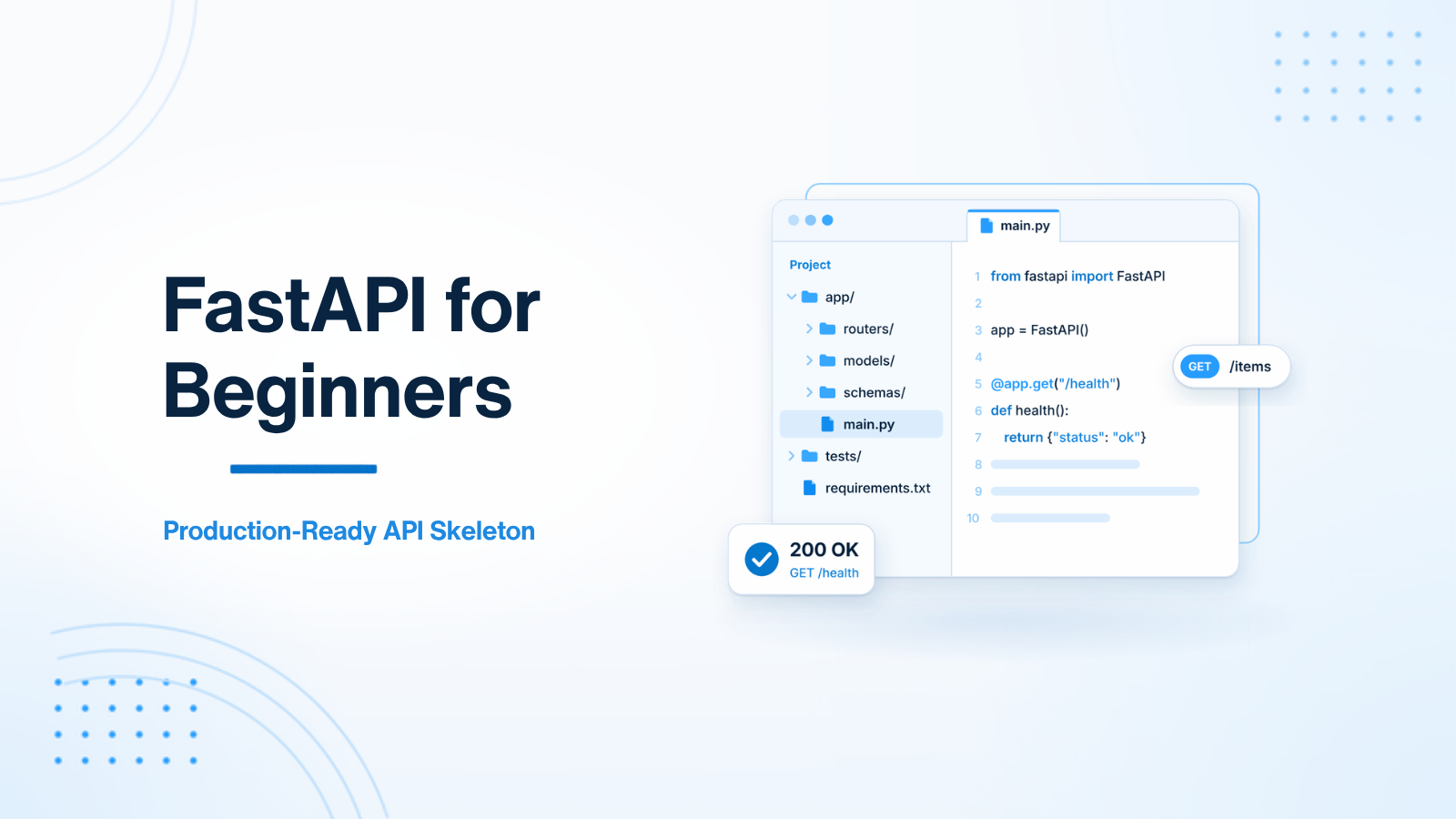
Group the application under src/, and keep tests next to the project rather than inside the package. A layout like this scales when you add a second resource or a database, because new code has an obvious home.
fastapi_skeleton/
├── src/
│   ├── __init__.py
│   ├── main.py
│   ├── core/
│   │   ├── config.py
│   │   └── deps.py
│   ├── api/
│   │   ├── router.py
│   │   └── v1/
│   │       └── endpoints/
│   │           ├── health.py
│   │           └── items.py
│   ├── schemas/
│   │   └── item.py
│   └── repositories/
│       └── items.py
├── tests/
│   └── test_items.py
├── Dockerfile
├── .dockerignore
├── pyproject.toml
└── README.md
You will also want a .env file for local values, and that file should stay out of git and out of the Docker build. The original tree in many starter posts lists a router.py and then never uses it. The sections below wire that file up.
Load settings from the environment
Use pydantic-settings so configuration is typed and read once. A comma-separated origin list is easier to set in an env var than a JSON array, and it avoids a common CORS mistake later.
from functools import lru_cache

from pydantic_settings import BaseSettings, SettingsConfigDict


class Settings(BaseSettings):
    model_config = SettingsConfigDict(env_file=".env", extra="ignore")

    app_name: str = "Items API"
    debug: bool = False
    cors_origins: str = "http://localhost:3000"

    def cors_origin_list(self) -> list[str]:
        return [origin.strip() for origin in self.cors_origins.split(",") if origin.strip()]


@lru_cache
def get_settings() -> Settings:
    return Settings()
If a test needs different settings, call get_settings.cache_clear() and set the environment before the app is created. Do not put secrets in source, and do not copy .env into an image.
Define Pydantic v2 schemas
Pydantic v2 no longer uses an inner class Config. Use model_config = ConfigDict(...). Keep the create model and the response model separate, even when the fields look similar today. Inheriting the response from the create model is a shortcut that later leaks fields you did not mean to expose, such as an internal flag or a write-only input.
from pydantic import BaseModel, ConfigDict, Field


class ItemCreate(BaseModel):
    title: str = Field(min_length=1, max_length=100)
    description: str | None = None
    price: float = Field(gt=0)


class ItemResponse(BaseModel):
    model_config = ConfigDict(from_attributes=True)

    id: int
    title: str
    description: str | None = None
    price: float
from_attributes=True lets you return a dataclass or ORM object and still produce a valid ItemResponse. Invalid payloads, such as a missing title or a price of zero, fail validation and FastAPI returns a 422 without any extra code in the route.
Keep routes thin with a repository and dependencies
Routes should accept a payload, call one method, and return a response. Storage belongs behind a small repository. An in-memory dict is enough for the skeleton and for tests. When you add a database, you replace this class, not every path.
from dataclasses import dataclass


@dataclass
class Item:
    id: int
    title: str
    description: str | None
    price: float


class ItemRepository:
    def __init__(self) -> None:
        self._items: dict[int, Item] = {}
        self._next_id = 1

    def create(self, title: str, description: str | None, price: float) -> Item:
        item = Item(
            id=self._next_id,
            title=title,
            description=description,
            price=price,
        )
        self._items[item.id] = item
        self._next_id += 1
        return item

    def get(self, item_id: int) -> Item | None:
        return self._items.get(item_id)
A FastAPI dependency reads the repository from application state, so routes do not import a global store.
from fastapi import Request

from src.repositories.items import ItemRepository


def get_item_repository(request: Request) -> ItemRepository:
    return request.app.state.items
Modular routers
Each resource gets its own APIRouter. Health stays on a separate router so you can mount it at the root, which is what most probes expect, instead of under /api/v1.
from fastapi import APIRouter

router = APIRouter(tags=["Health"])


@router.get("/health")
async def health_check():
    return {"status": "ok"}
from fastapi import APIRouter, Depends, HTTPException, status

from src.core.deps import get_item_repository
from src.repositories.items import ItemRepository
from src.schemas.item import ItemCreate, ItemResponse

router = APIRouter(prefix="/items", tags=["Items"])


@router.post("", response_model=ItemResponse, status_code=status.HTTP_201_CREATED)
async def create_item(
    payload: ItemCreate,
    repo: ItemRepository = Depends(get_item_repository),
):
    return repo.create(**payload.model_dump())


@router.get("/{item_id}", response_model=ItemResponse)
async def get_item(
    item_id: int,
    repo: ItemRepository = Depends(get_item_repository),
):
    item = repo.get(item_id)
    if item is None:
        raise HTTPException(
            status_code=status.HTTP_404_NOT_FOUND,
            detail="Item not found",
        )
    return item
Use an empty path ("") with the /items prefix so POST /api/v1/items does not bounce through a trailing-slash redirect. Then gather the versioned routers in one place:
from fastapi import APIRouter

from src.api.v1.endpoints import items

api_router = APIRouter()
api_router.include_router(items.router)
Create the app with a lifespan
A lifespan context manager runs setup before the app starts accepting traffic, then cleanup after shutdown. That is the right place to create the repository now, and a connection pool or HTTP client later. Build the FastAPI instance in a create_app() function so tests can construct a fresh app when they need one.
from contextlib import asynccontextmanager

from fastapi import FastAPI
from fastapi.middleware.cors import CORSMiddleware

from src.api.router import api_router
from src.api.v1.endpoints import health
from src.core.config import get_settings
from src.repositories.items import ItemRepository


@asynccontextmanager
async def lifespan(app: FastAPI):
    app.state.items = ItemRepository()
    yield


def create_app() -> FastAPI:
    settings = get_settings()
    app = FastAPI(title=settings.app_name, lifespan=lifespan)
    app.add_middleware(
        CORSMiddleware,
        allow_origins=settings.cors_origin_list(),
        allow_credentials=True,
        allow_methods=["*"],
        allow_headers=["*"],
    )
    app.include_router(health.router)
    app.include_router(api_router, prefix="/api/v1")
    return app


app = create_app()
Do not set allow_origins=["*"] together with allow_credentials=True. Browsers reject that combination, and it is easy to paste into a starter and then forget. List the front-end origins you actually use. Leave /docs and /redoc on while you are learning; in production, set docs_url and redoc_url to None, or put them behind authentication, unless you intend the schema to be public.
From the project root, run uvicorn src.main:app --reload. The interactive docs are at http://localhost:8000/docs, health is at /health, and the items routes are under /api/v1/items.
Add tests around the HTTP contract
Use FastAPI’s TestClient as a context manager so the lifespan runs and app.state.items exists. These three tests cover the happy path, a missing item, and validation.
from fastapi.testclient import TestClient

from src.main import app


def test_health():
    with TestClient(app) as client:
        response = client.get("/health")
        assert response.status_code == 200
        assert response.json() == {"status": "ok"}


def test_create_and_get_item():
    with TestClient(app) as client:
        created = client.post(
            "/api/v1/items",
            json={"title": "Notebook", "price": 12.5},
        )
        assert created.status_code == 201
        body = created.json()
        item_id = body["id"]
        fetched = client.get(f"/api/v1/items/{item_id}")
        assert fetched.status_code == 200
        assert fetched.json()["title"] == "Notebook"


def test_missing_item_returns_404():
    with TestClient(app) as client:
        response = client.get("/api/v1/items/999")
        assert response.status_code == 404
TestClient needs the httpx package. Add pytest and httpx to your dev dependencies, then run pytest from the project root.
Package it in a starter Docker image
The development server with --reload is not what you want in a container. Install pinned dependencies, run as a non-root user, and start Uvicorn on a bound host and port. A lock file or a pinned requirements file matters more than which installer you pick.
FROM python:3.12-slim

WORKDIR /app
ENV PYTHONDONTWRITEBYTECODE=1
ENV PYTHONUNBUFFERED=1

COPY requirements.txt .
RUN pip install --no-cache-dir -r requirements.txt

RUN useradd --create-home --uid 1000 appuser
COPY --chown=appuser:appuser src ./src
USER appuser

EXPOSE 8000
CMD ["uvicorn", "src.main:app", "--host", "0.0.0.0", "--port", "8000"]
Put .env, .venv, .git, and __pycache__ in .dockerignore. This image is a starting point. A multi-stage build is a better production default, because compilers and caches do not need to ship in the runtime image.
What this skeleton leaves out
The in-memory repository is for structure and tests, not for production data. When you add a database, create the engine or pool in the lifespan, yield it, and close it on shutdown. Migrations, authentication, rate limits, and structured logging can all attach to this layout without rewriting the routers.
A few habits are worth locking in early:
- Do not keep adding routes to
main.py. - Do not use Pydantic v1
class Configin new schemas. - Do not enable CORS with
*and credentials together. - Do not run
uvicorn --reloadin a production process. - Do not treat a 201 with a hardcoded
id=1as a real create path. Even a tiny repository is clearer, and it is testable.
Summary
A production-ready FastAPI skeleton is a small, consistent shape: settings from the environment, Pydantic v2 models, routers under a versioned prefix, a lifespan for resources, tests on the HTTP contract, and a Docker image that does not use the reload server. Start there, and you can add a database or authentication later without unpacking a single-file app.
If you want help turning a FastAPI prototype into a structured API codebase, get in touch.

Prakash Tank
Full-Stack Architect & Tech Enthusiast. Passionate about building scalable applications and sharing knowledge with the community.