Adding an AI feature to a live Laravel SaaS is different from building a prototype. Customers already depend on the product. A feature that invents billing details, writes the wrong record, or takes an action nobody approved can create a rush of support tickets, corrupt data, and damage trust.
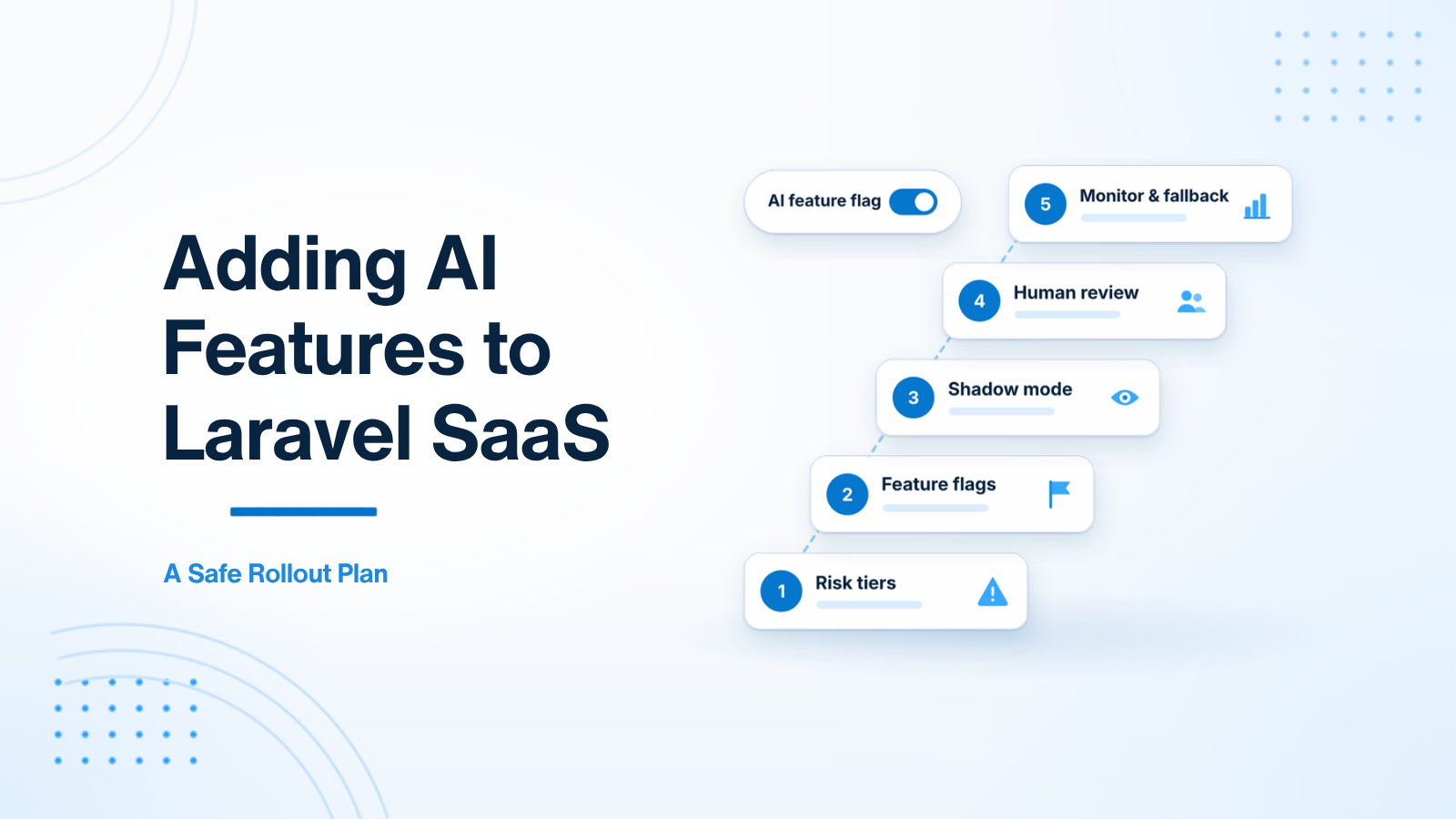
This is an 8-stage rollout plan for introducing an LLM-powered feature into an existing Laravel SaaS. The order matters: classify the risk, protect data and access, gate the feature, test it in shadow mode, launch with a human review step, then monitor it, make it resilient, and keep quality from drifting. For a product-level view of the same problem, see AI Integration in Existing Products: A Safe Implementation Roadmap.
Stage 1: Classify the risk
Before you write integration code, put the feature into one of three risk tiers. The tier decides how strict the later stages need to be.
| Risk tier | Characteristics | Example features | Required guardrails |
|---|---|---|---|
| Low risk | Informational, easy for the user to ignore | Draft summaries, title suggestions, internal search | Prompt testing and a feature flag |
| Medium risk | User-facing suggestions that can be sent or published | Support-ticket draft replies, marketing copy | Human review before anything is sent |
| High risk | Automated writes, financial changes, or outbound messages | Auto-sending email, automated refunds | Shadow mode, human approval, and a kill switch |
A title suggestion can start with prompt tests and a flag. An automated refund should not skip shadow mode, a human approval step, or a way to turn the feature off quickly. A broader view of accuracy, cost, and privacy risk is in AI SaaS Product Risks: Accuracy, Cost, Privacy, and Monitoring.
Stage 2: Protect tenancy, authorization, and PII before any model call
These checks belong in the service layer, before a prompt is built or a provider is called. They are easy to treat as later cleanup, and that is usually too late.
Authorization. Put a Laravel policy or gate on the controller or Livewire action that triggers the AI call. A user who is not on the right plan, in the right role, or in the right organisation should not be able to reach the model. This is what stops a paywall bypass or an internal tool leaking into a customer account.
Tenancy. Every query that builds prompt context — tickets, documents, embeddings, or prior messages — must be scoped to the current organisation. This is especially important in queued jobs, where the HTTP request is gone and it is easy to load the wrong rows. If the model can see another workspace’s data, the feature is unsafe no matter how good the prompt is. Multi-Tenant AI SaaS: Isolation, Quotas, and Boundaries covers the same boundary in more depth.
PII redaction. Redact personally identifiable information in memory before the payload leaves your application. Replace emails, phone numbers, payment details, and government IDs with tokens such as [REDACTED_EMAIL] or [REDACTED_PHONE]. Regular expressions catch many structured fields; a recognizer such as Microsoft Presidio helps with messier free text. If you operate under GDPR or a similar regime, treat this as a compliance issue, not only an engineering one. Securing AI Features: PII and Prompt Injection Basics is a useful companion.
Stage 3: Gate the feature with Laravel Pennant
Do not ship an AI feature to every account on day one. Wrap it in a feature flag so you can enable it for the internal team, then a small beta cohort, then a wider roll-out — and turn it off quickly if latency or quality drops. In Laravel, Laravel Pennant is a solid first-party choice.
// app/Providers/AppServiceProvider.php
use Laravel\Pennant\Feature;
use App\Models\User;

public function boot(): void
{
    Feature::define('ai-ticket-summarizer', function (User $user) {
        // Internal users or a designated beta account.
        return $user->is_admin || $user->hasBetaAccess();
    });
}
public function showTicket(Ticket $ticket)
{
$aiSummary = null;
if (Feature::active('ai-ticket-summarizer')) {
$aiSummary = Cache::remember(
"ticket_ai_summary:{$ticket->id}",
3600,
fn () => $this->aiService->generateSummary($ticket)
);
}
return view('tickets.show', compact('ticket', 'aiSummary'));
}Keep the model call off the critical path where you can: cache reusable output, and set a timeout so a slow provider cannot hold the page open. For patterns that fit a Laravel codebase, see Laravel AI Developer Guide: OpenAI, RAG, and Safe Rollouts.
Stage 4: Validate in shadow mode
Shadow mode, sometimes called a dark launch, lets you judge quality on real customer data without showing the model’s output to the user.
When a person completes the action themselves — for example, a support agent writes and sends a reply — dispatch a queued job with the same context. The job generates an AI draft and stores it next to the human reply in a shadow_ai_logs table. The customer never sees the draft.
class LogShadowAiReplyJob implements ShouldQueue
{
    use Dispatchable, InteractsWithQueue, Queueable, SerializesModels;

    public function __construct(
        public Ticket $ticket,
        public string $actualHumanReply
    ) {}

    public function handle(AiReplyService $ai): void
    {
        $aiDraft = $ai->generateDraft($this->ticket);

        ShadowAiLog::create([
            'ticket_id' => $this->ticket->id,
            'actual_human_reply' => $this->actualHumanReply,
            'ai_generated_draft' => $aiDraft,
            'semantic_similarity' => $ai->calculateSimilarity(
                $this->actualHumanReply,
                $aiDraft
            ),
        ]);
    }
}
Run this for a meaningful window — often a couple of weeks, depending on how much traffic the feature gets. Then read the logs, not only a single score. Similarity between the draft and the human reply is a useful signal, but so are obvious factual errors and cases the model should have refused. Move on when the failure modes look acceptable, not when a percentage looks tidy. The job itself should follow the same queue habits as the rest of the app; Laravel Queue Architecture for Production Backends is a practical reference.
Stage 5: Launch with human-in-the-loop review
When you first show the feature to customers, present the model’s output as a suggestion that a person reviews and confirms. Do not let it send email, write to the database, or take a financial action on its own.
Two patterns that work well in a Laravel or Livewire UI:
- Draft, insert, and edit. The model fills a textarea. The user edits it if needed and clicks Send themselves. The model never sends the message.
- Suggested category with confirmation. The model pre-selects a category, optionally with a confidence label. The user confirms it or chooses a different value.
Record every accept, edit, and reject. Store the original prompt context, the raw model output, and the final human text in a prompt_feedback_dataset table. Those edits are the best source of later prompt changes: they show the edge cases your first examples missed.
Stage 6: Monitor metrics, dashboards, and audit logs
Treat the feature like any other production dependency. Four measures are worth watching from the first week:
- Acceptance rate: the share of suggestions accepted with little or no change. A falling rate often means the prompt, the model, or the incoming data has drifted.
- Edit distance: how much users change the draft. Small edits usually mean the output is close; large edits mean it is not saving time.
- API errors and latency: timeouts, rate limits, and provider failures, via Laravel Flare, Bugsnag, Datadog, or the same tooling you already use.
- Cost per use: tokens billed per account, so a retry loop or a noisy tenant shows up before the invoice does. Controlling AI Costs in SaaS: Tokens, Caching, and Budget Alerts goes further on budgets and caching.
Give product managers and support leads an internal Filament or Livewire dashboard for those numbers: daily token spend by organisation, acceptance rate, edit-distance spread, and a recent prompt log. Redact PII in anything a person can browse.
Write an audit trail as well. An async listener, such as LogAiActivityListener, can store each call in an ai_execution_logs table: tenant, model, token counts, duration, and a redacted prompt and response. That trail is what you will want after a bad output or a compliance question. Observability for AI Features: Logs, Traces, Tokens, and Quality Signals describes the same idea in more detail.
Stage 7: Add circuit breakers, fallback UI, and multi-provider failover
Providers have outages, latency spikes, and rate limits. Your app should fail cleanly: no hung HTTP request, and no blank screen if the model is down.
A simple circuit breaker on Redis or the cache is enough to start. If the error rate crosses a threshold you choose — for example, 15% of calls in a five-minute window — stop calling the provider for a short period and return a fallback. The UI can show a standard template, a manual compose box, or ordinary search, so the rest of the product still works.
Do not depend on a single provider if the feature is important. An adapter that fails over to a second model keeps the feature available when the primary API is throttled or down:
class ResilientAiService
{
    public function generateResponse(array $messages): string
    {
        try {
            return $this->primary->chat($messages);
        } catch (\Throwable $e) {
            Log::warning('Primary AI provider failed, failing over: '.$e->getMessage());

            try {
                return $this->secondary->chat($messages);
            } catch (\Throwable $e2) {
                Log::error('All AI providers failed: '.$e2->getMessage());
                return 'The AI assistant is temporarily unavailable. Please try again shortly.';
            }
        }
    }
}
The fallback string above is for an API response. In the UI, prefer a quiet degraded state over a blocking error message whenever the user can continue without the model.
Stage 8: Keep quality from drifting
Prompts and model versions change. Without a fixed set of examples, those changes can quietly make the feature worse.
Build a small golden set from real cases, including the awkward ones in your feedback table, and run it whenever you edit the system prompt or switch models. A weekly run is a reasonable default; run it on demand before a production prompt change. Watch pass rate, obvious regressions, and the edit-distance trend across accounts, then use the failures to adjust instructions and few-shot examples. Eval Basics for LLM Features: Golden Sets, Regressions, and Pass Rates walks through how to set that up.
Summary
A safe Laravel AI rollout is incremental: classify the risk, protect tenancy, authorization, and PII, gate the feature with Pennant, validate it in shadow mode, launch with a human review step, watch the metrics and audit log, add failover and a fallback UI, and keep a regression set so quality does not drift. None of these stages is a guarantee on its own. Together, they let you ship useful AI into a product people already pay for, without betting the existing workflow on an unconstrained model call.
If you are planning an AI rollout for a Laravel SaaS, get in touch.

Prakash Tank
Full-Stack Architect & Tech Enthusiast. Passionate about building scalable applications and sharing knowledge with the community.